Teleprompter
for real
eye contact.
Built for creators, bloggers and influencers. SteadyEye shows your script one word at a time, right under the camera lens. Your eyes stay locked. Your audience sees confidence, not reading.
 Free to start · iPhone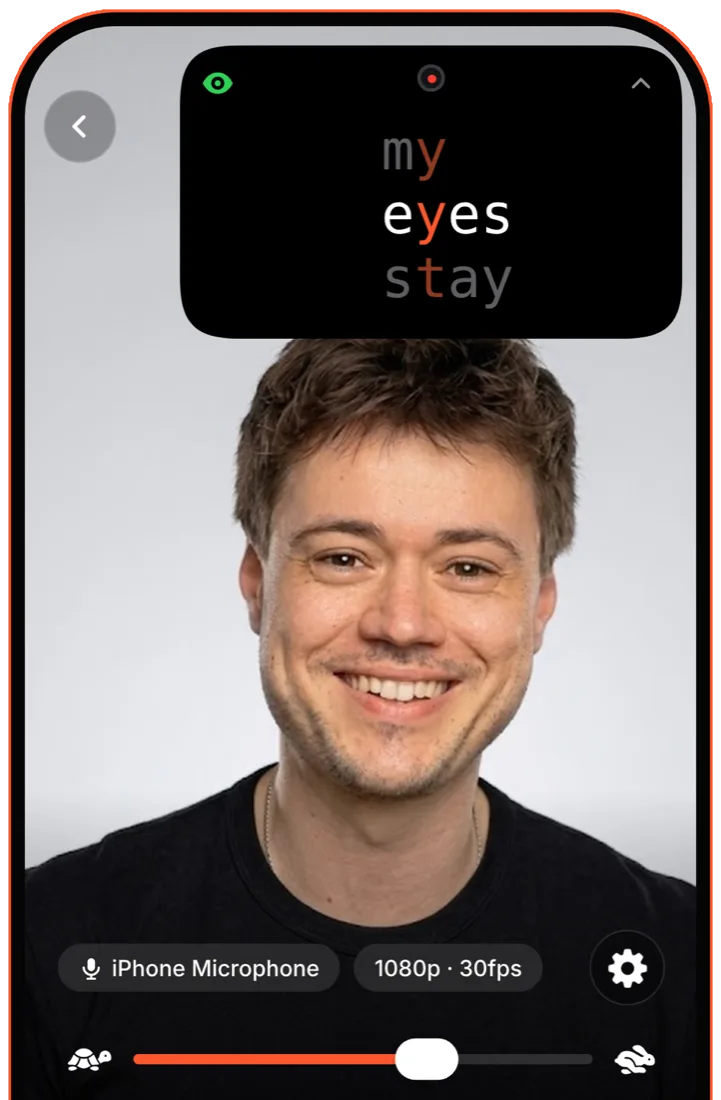
No more
wandering
eyes.
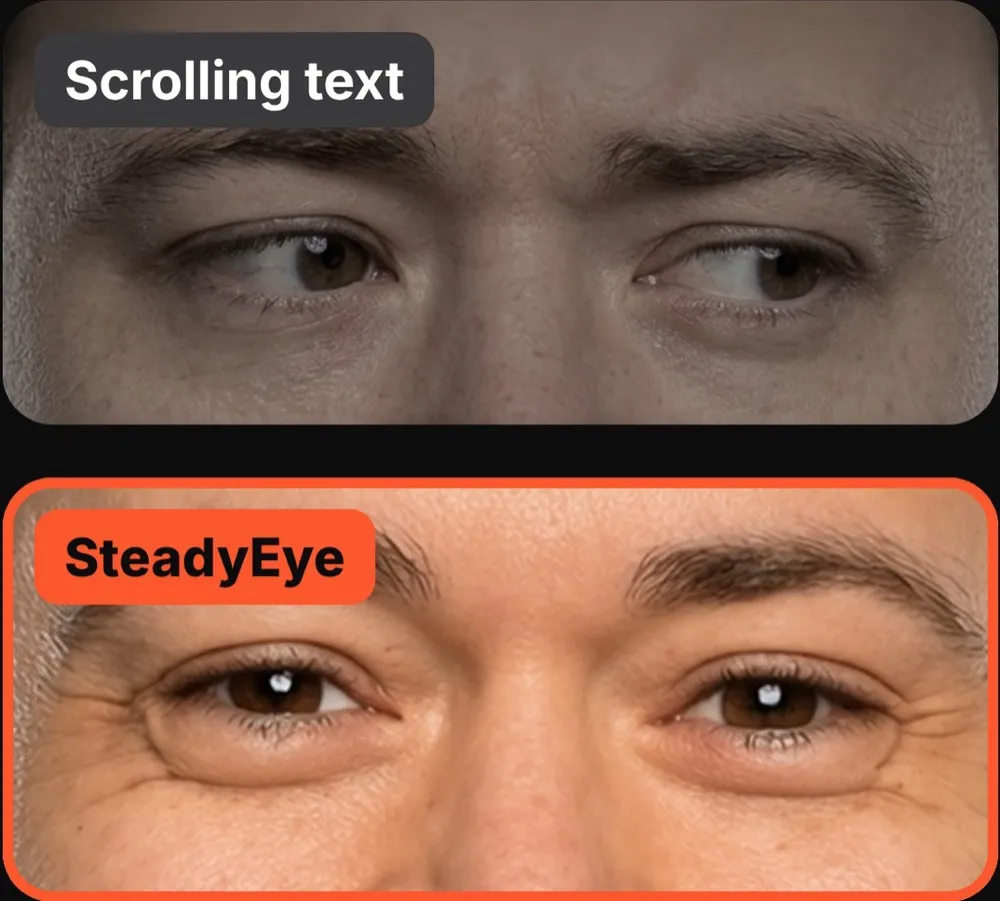
Scrolling text makes your eyes scan left to right, and viewers notice instantly. SteadyEye keeps every word in one spot under the lens, so you look at your audience the whole time.
How it
works.
- 01
Add your script — or generate one.
Paste notes as messy as you like, or give AI a topic. Either way you get a script that’s easy to read aloud.
- 02
Hit record.
Front camera in up to 4K, stabilized, with whatever mic you have — AirPods, wired or DJI.
- 03
Read without looking away.
Words appear one at a time right under the lens — or three lines, if you like more context. Your eyes stay on the camera.
- 04
Make it sound like a studio. New
One tap removes background noise and echo and evens out your voice. Flip between the original and Studio to hear the difference.
- 05
Export and post.
Save the take to your Camera Roll and post it wherever your audience is. No watermark with a subscription.


Everything for
one clean take.
One word, under the lens. Your script appears right where the camera is. Prefer more context? Switch to three lines.
Eye-contact score. After every take, see how much of it you held the camera’s gaze.
Studio sound. New Your voice without background noise or echo. One tap after recording.
AI scripts. Paste messy notes or just a topic. Get a script that’s ready to read aloud.
4K, stabilized. Sharp and steady front-camera video, at the frame rate you pick.
Any microphone. AirPods, Bluetooth, wired or DJI. Plug in and record.
Any language. Spanish to Russian, Arabic to Japanese — with proper right-to-left and CJK support.
No watermark. With a subscription, post your takes exactly as they are.
Questions,
answered.
What is SteadyEye?
SteadyEye is a teleprompter app for iPhone. It shows your script one word at a time (or three lines, if you prefer) right under the front camera, so you keep eye contact with your audience while you read.
How is it different from a scrolling teleprompter?
A scrolling teleprompter makes your eyes scan across lines, and viewers notice. SteadyEye keeps every word in the same spot under the lens, so your gaze stays on the camera for the whole take.
Is SteadyEye free?
You can download SteadyEye and start recording for free. A subscription removes the watermark and adds more AI scripts and Studio Sound enhancements.
Can I use it for TikTok, Reels, Shorts and YouTube?
Yes. Record with the front camera in up to 4K, then save the take to your Camera Roll and post it wherever your audience is.
Can AI write my script?
Yes. Paste messy notes and AI turns them into a script that’s easy to read aloud, or give it a topic and it drafts one for you.
What is Studio Sound?
One tap after recording removes background noise and echo and evens out your voice. Only the audio is processed; the video stays on your phone.
Which languages and microphones does it support?
Scripts can be in any language, including right-to-left Arabic and Chinese, Japanese and Korean. Use the iPhone microphone, AirPods, Bluetooth, wired or DJI mics.
Which iPhones does SteadyEye run on?
Any iPhone with iOS 17 or later.
Start recording
for free.
Stop memorizing scripts. Start making eye contact.